
How to Use a Voucher Code
Got a voucher code? Follow these simple steps to redeem it and unlock premium access in the ExamCert app.
Open Settings
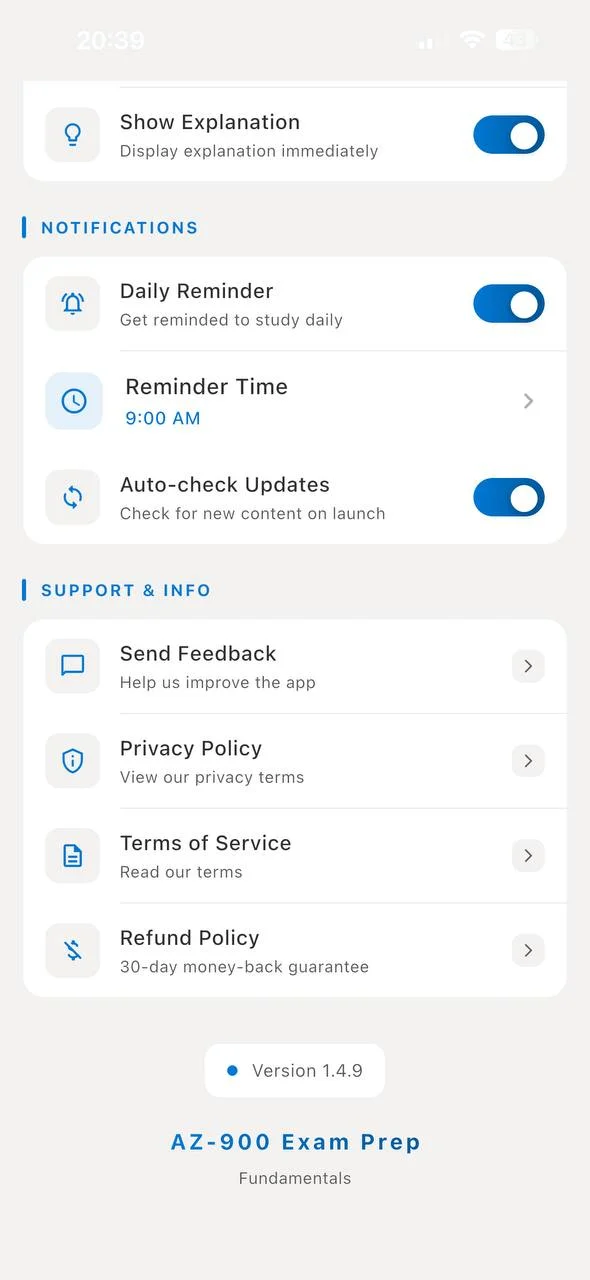
Open the ExamCert app on your phone. Tap the Settings icon (gear icon) to open the Settings page.
Tap "Send Feedback"
Scroll down to the Support & Info section. You'll see several options — tap Send Feedback.
Select "Support" as the Type
On the Contact / Feedback screen, you'll see three options: Feedback, Contact, and Support. Tap Support — it should be highlighted with a blue checkmark.
Enter the Email Address
In the Your Email field, enter:
This is the official ExamCert support email. Make sure to type it exactly as shown above.
Enter Your Voucher Code
In the Your Message field, type your voucher code. Make sure to enter it in CAPITAL LETTERS — exactly as it was provided to you.
For example, if your voucher code is EXAMCERT-PREMIUM-2026, type it exactly like that.
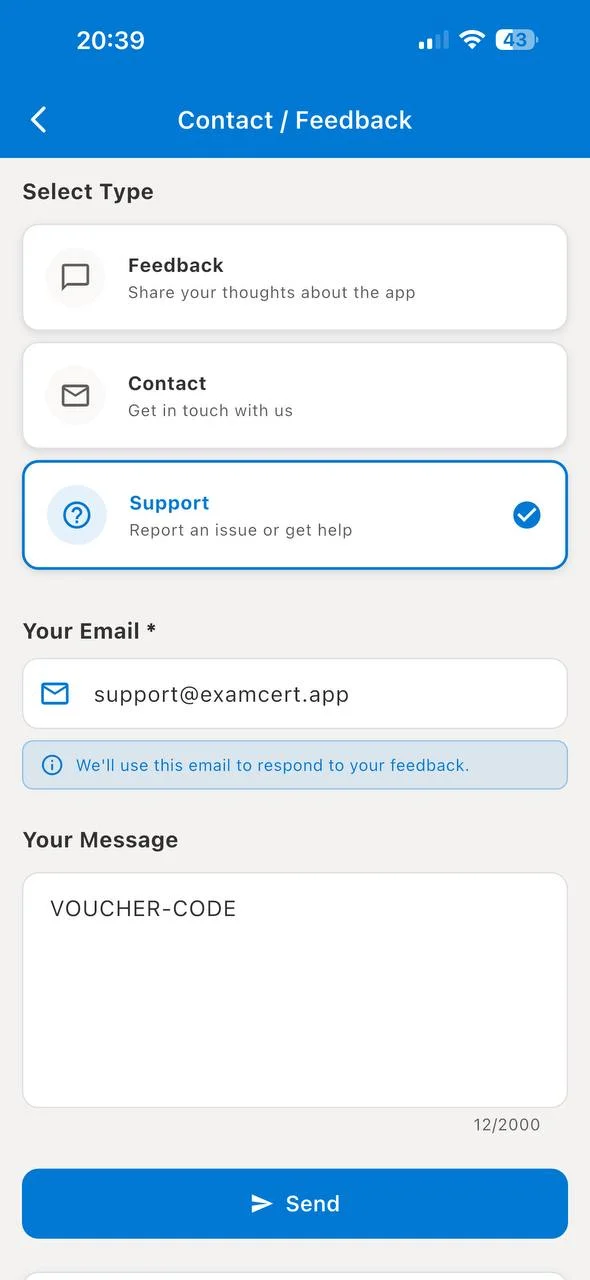
💡 Tip: Only enter the voucher code in the message field — nothing else. Do not add extra text, greetings, or explanations. Just the code.
Tap "Send"
Once everything looks good, tap the blue Send button at the bottom of the screen.
✅ Instant activation: If your voucher code is correct and valid, premium access will be unlocked right away — no waiting required!
Frequently Asked Questions
Where do I get a voucher code?
Voucher codes are distributed through promotions, giveaways, partnerships, and special events. Follow us on social media to stay updated on the latest offers.
My voucher code isn't working. What should I do?
Make sure you're entering the code in CAPITAL LETTERS exactly as provided. If it still doesn't work, the code may have expired or already been used. Contact us at [email protected] for help.
Don't Have a Voucher Code?
Get premium access for just $5.99 per certification — lifetime access to that exam's full question bank. 120+ certifications available. 100% money-back guarantee.
Browse All Exams