How Long to Study for Google Cloud ACE?
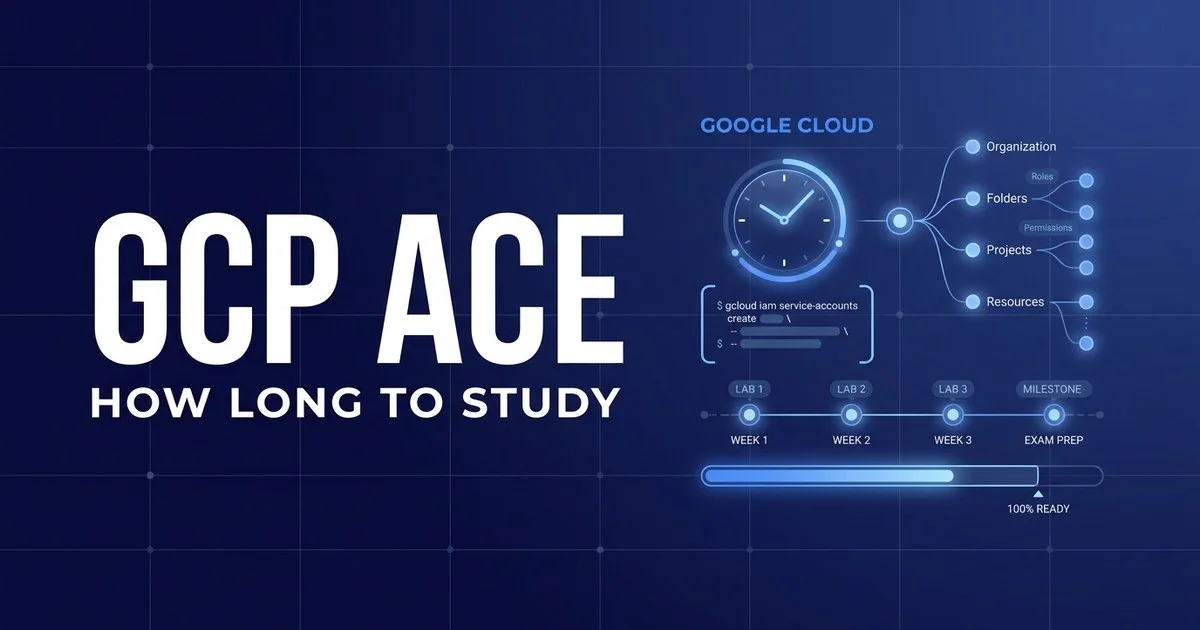
Most people need 40 to 120 hours — roughly 6 to 10 weeks — depending on how much real cloud experience they bring. The Associate Cloud Engineer is a hands-on exam: you have to know gcloud and the Console, not just the theory. Here is the honest timeline by experience level, a week-by-week plan, and what makes prep faster or slower.
01 The short answer
The Associate Cloud Engineer is a practical exam, and that shapes everything about how you should spend your time. The 2026 exam runs 120 minutes and asks roughly 50–60 multiple-choice and multiple-select questions. Most of them describe a real task — configure an IAM policy, deploy a workload, fix a networking problem, pick the right storage class — and ask what you would actually do. You cannot bluff that with reading alone, which is why Google recommends at least six months of hands-on experience with the platform before you sit it.
That practical slant also means raw hours matter less than how you spend them. An hour spent provisioning a Compute Engine instance, setting up a service account, and deploying to Cloud Run from the CLI teaches you more than three hours of watching videos. Treat the gcloud command line and the Cloud Console as your primary study tools, with reading and videos as the supporting cast.
02 How long it takes by experience level
Your starting point matters more than any other factor. Find the lane that sounds most like you — the bar shows roughly how much ground you have to cover.
Cloud / DevOps engineer
40–60 hrsYou already deploy and operate workloads on GCP (or you moved across from AWS or Azure). You mainly need to map what you do to Google’s service names, IAM model, and the exam blueprint, then close a few gaps in networking and billing.
Pace: ~4–6 weeks at 8–10 hrs/weekIT background, new to GCP
70–100 hrsYou work in IT, sysadmin, or development and understand the basics of servers, networks, and storage, but Google Cloud itself is new. The concepts feel familiar; the service names, the Console, and gcloud are what you have to drill.
Pace: ~7–9 weeks at 10–12 hrs/weekNew to cloud
120+ hrsCloud computing is largely new territory. You need to build the underlying mental model — projects, regions, IAM, virtual machines versus managed services — before any of the GCP-specific detail will stick. Lean heavily on guided labs.
Pace: ~10–12 weeks at 10–12 hrs/week03 A week-by-week 8-week plan
This is the “IT background, new to GCP” track — the most common starting point. Compress it to 5–6 weeks if you already work in cloud, or stretch it to 10–12 if cloud is brand new. The order follows the exam blueprint: set up the environment, then build outward through compute, storage, networking, operations, and security — labbing every step.
1
GCP fundamentals, projects & IAM
Set up a free-tier account, create a project, and learn the resource hierarchy (organisation → folder → project). Get comfortable with billing, quotas, and the IAM model — roles, service accounts, and the principle of least privilege. This is “setting up a cloud solution environment” in blueprint terms.
~10–12 hrs2
Master the gcloud CLI in the lab
Spend a full week living in Cloud Shell and the gcloud command line. Create and resize instances, manage projects and config, set IAM bindings, and script a small task end to end. The exam rewards CLI fluency heavily, so this hands-on week pays back more than any reading.
~10–12 hrs3
Compute: GCE, GKE, App Engine, Cloud Run
Deploy a workload four ways: a Compute Engine VM, a GKE cluster, App Engine, and a container on Cloud Run. Learn when each fits, plus managed instance groups and autoscaling. This is the heart of “deploying and implementing a cloud solution”.
~12–14 hrs4
Storage & databases
Work through Cloud Storage classes and lifecycle rules, then the database options — Cloud SQL, Firestore, Bigtable, and BigQuery — and when to reach for each. Practise creating buckets and datasets from both the Console and gcloud / gsutil.
~10 hrs5
Networking
VPCs, subnets, firewall rules, routes, Cloud Load Balancing, and Cloud DNS. Build a network from scratch and connect instances to it. Networking trips up a lot of candidates, so give it real lab time rather than just reading the diagrams.
~10–12 hrs6
Operations, monitoring & access / security
Ensure successful operation with Cloud Monitoring, Logging, and alerting, then tighten configuring access and security — custom IAM roles, service-account keys, and Cloud Identity basics. These two blueprint areas are smaller but very scoreable.
~10 hrs7
Hands-on labs & full mocks
Stop learning new material and start proving readiness. Sit at least two or three full-length, timed practice exams, score each blueprint area separately, and re-lab anything that scored weak. Every wrong answer is a lab waiting to happen.
~10–12 hrs8
Final review & book
Light review of weak areas, re-run the gcloud commands you fumbled, rest the day before, and sit the exam. Don’t cram new services in the last 48 hours — protect your recall and your confidence.
~6–8 hrs04 What makes your timeline faster or slower
Two people with the same job title can need wildly different hours. These are the factors that move the needle most for the ACE.
▲ Speeds you up
- You already use GCP day to day and know the Console
- You build in the free tier and run gcloud commands yourself
- An AWS or Azure background to map concepts across from
- You do guided labs (Qwiklabs / Cloud Skills Boost) early
- You test yourself with mocks instead of only reading
▼ Slows you down
- Theory-only study — courses and notes, no console time
- Never running gcloud commands for yourself
- Cloud computing is a brand-new concept
- Studying 30–45 minutes at a time around a full-time job
- Memorising service names without building anything
05 A realistic weekly schedule
Most people pass the ACE while working full time. The trick is building hands-on time into every week, not just reading — this ~10-hour week is sustainable for the whole 6–10 weeks.
| Day | Time | Focus |
|---|---|---|
| Mon & Wed | 1.5 hrs (evening) | Learn one blueprint topic, then immediately reproduce it in the Console and with gcloud |
| Tue & Thu | 1 hr (evening) | Answer 20–25 practice questions and review every miss — turn the misses into lab notes |
| Friday | Rest | No study — protect against burnout |
| Saturday | 3 hrs | One hands-on lab project end to end, then a short timed mini-mock |
| Sunday | 2 hrs | Attack your weakest blueprint area and re-run the gcloud commands you fumbled |
06 FAQ
How many hours do you need to study for the Google Cloud ACE?
Most candidates need 40–120 hours of focused study. A working cloud or DevOps engineer who already uses GCP can be ready in roughly 40–60 hours; someone genuinely new to cloud usually needs 120 hours or more. Spread over a typical 8–12 hours per week, that is about 6–10 weeks, and a large share of those hours should be spent labbing in the Console and gcloud CLI rather than reading.
Can you study for the Google Cloud ACE in one month?
Yes, but realistically only if you already have hands-on cloud experience. An engineer who uses GCP, AWS, or Azure daily can often be ready in three to four weeks of focused study. If you are new to cloud, one month is too tight because the exam rewards practical fluency with gcloud and the Console that only builds with repetition. A 6–10 week plan is far safer.
What’s the passing score for ACE?
Google does not publish a passing score or pass rate for the Associate Cloud Engineer exam. Results are reported simply as Pass or Fail using a scaled scoring model, and the often-quoted 70% figure is a community estimate rather than an official threshold. As a practical readiness proxy, aim to score a consistent 80% or higher on full-length practice exams and to be comfortable running common gcloud commands from memory before you book.
Do I need hands-on experience to pass the Google Cloud ACE?
Effectively, yes. Google recommends at least six months of hands-on experience with Google Cloud, and many ACE questions describe a real task such as configuring IAM, deploying to Compute Engine or Cloud Run, or fixing a networking issue. Candidates who only read tend to stall, while those who build small projects and run the commands themselves answer scenario questions far faster. Free-tier and Qwiklabs-style labs are the cheapest way to get that experience.