How Long to Study for CompTIA A+?
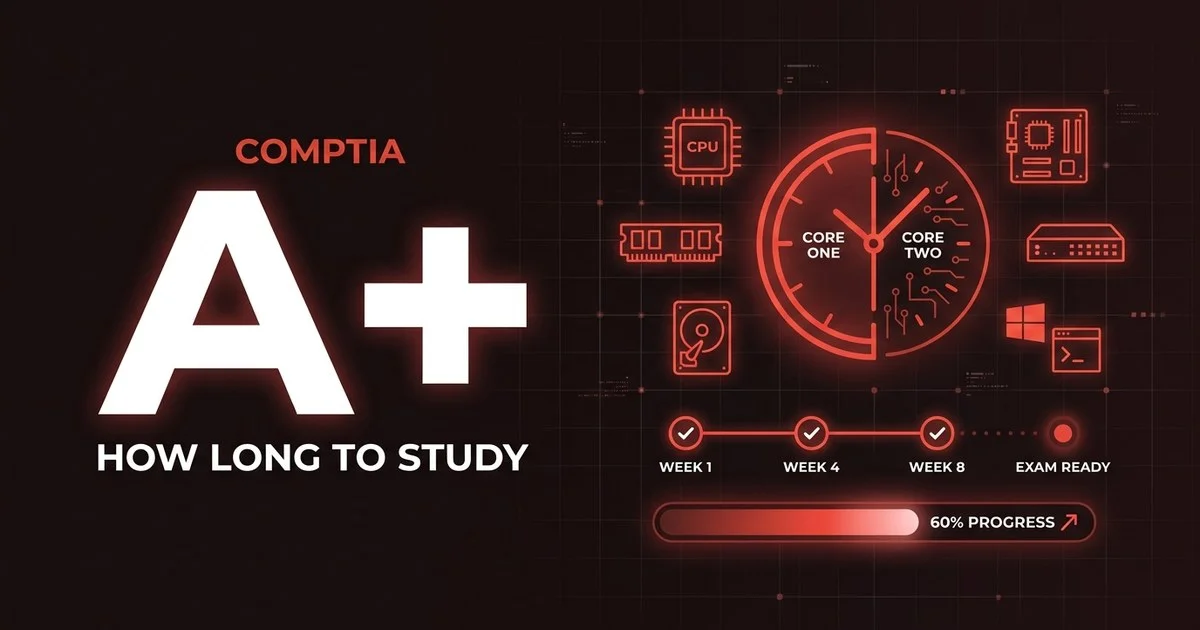
CompTIA A+ is two exams, not one — Core 1 (220-1101) and Core 2 (220-1102) — so most people need 120 to 200 hours across roughly 8 to 16 weeks. Here is the honest timeline by experience level, a week-by-week plan that covers both cores, and what makes prep faster or slower.
01 The short answer
A+ is an entry-level certification, but “entry-level” does not mean small. The two cores cover a remarkably broad surface area — everything from laptop teardown and Wi-Fi standards to Windows administration, security hygiene, and safe disposal procedures. You are not asked to go deep on any one topic, but you are asked to recognise a lot of them, which is exactly why the hours add up across two sittings.
The other reason raw hours can mislead: A+ leans heavily on hands-on recognition and a growing slice of performance-based questions, where you configure a setting or sort a list rather than pick a letter. Reading alone will not get you there. The candidates who finish fastest are the ones who touch real hardware and a real operating system early, instead of only watching videos.
It also helps to set expectations on the numbers. Public study-time estimates cluster around three to four months at ten to fifteen hours a week, which is exactly where our 120–200 hour range lands. CompTIA does not publish official pass rates for A+, so be sceptical of any “X% fail” figure you see quoted — treat your own mock-exam scores as the only reliable signal of whether you are ready.
02 How long it takes by experience level
Your starting point matters more than any other factor. Find the lane that sounds most like you — the bar shows roughly how much ground you have to cover across both cores combined.
Help-desk / hobbyist tinkerer
120–140 hrsYou already fix PCs, swap RAM, reimage machines, or work a support desk. Most A+ content is familiar — you are mainly mapping what you do to CompTIA’s vocabulary and filling gaps like cloud models and printer maintenance.
Pace: ~8–10 weeks at 14–15 hrs/weekSome computer familiarity
150–180 hrsYou are comfortable with computers and have built or upgraded a machine, but networking, command-line tools, and formal security concepts are new. You meet the spirit of A+ but need real study time on the unfamiliar half.
Pace: ~11–13 weeks at 13–15 hrs/weekComplete beginner
180–200 hrsYou are switching into IT from another field and most of the terminology is brand new. Nothing here is beyond you, but there is a lot of it — pace yourself, lean on labs, and do not skip the hands-on practice.
Pace: ~14–16 weeks at 12–14 hrs/week03 A week-by-week plan for both cores
This is the “some computer familiarity” track — the most common starting point. Compress it if you already work in IT, or stretch it if everything is new. The structure is deliberate: build and pass Core 1 first, then turn your full attention to Core 2. They are two separate exam sittings, so treat them as two finish lines.
Notice how the hours are weighted. Core 1 (220-1101) is front-loaded with the tangible material — hardware, mobile devices, networking, and the cloud — while Core 2 (220-1102) is where the operating-system and security depth lives. Both cores carry their own hardware/network or software troubleshooting domain, and that is where a lot of the marks sit, so the plan reserves real time for timed practice before each sitting rather than tacking it on at the end.
1–2
Core 1: hardware & mobile devices
Start with the most tangible material: laptop and mobile device components, ports and connectors, RAM and storage types, and motherboards. Open a real machine if you can. Goal: build confidence and the habit of touching hardware, not just reading about it.
~26–30 hrs3–4
Core 1: networking, virtualization & cloud
Move into networking — ports and protocols, Wi-Fi standards, cabling, and the SOHO setup — then virtualization and cloud models (IaaS, PaaS, SaaS). This is where beginners slow down, so give it the time and draw out the diagrams yourself.
~28–32 hrs5
Core 1: troubleshooting + mock, then sit it
Drill hardware and network troubleshooting using CompTIA’s six-step method, then sit at least two full-length, timed Core 1 mocks. When you clear 85%+ with no weak domain, book and pass 220-1101. One exam down.
~22–26 hrs6–7
Core 2: operating systems
Pivot to Core 2. Start with operating systems — Windows editions and tools, command-line basics, and a working familiarity with macOS and Linux. Practise the actual settings panels, because this domain is heavy with performance-based tasks.
~26–30 hrs8–9
Core 2: security & software troubleshooting
Security is the largest Core 2 domain — malware types and removal, authentication, wireless and workstation hardening — followed by software and mobile-OS troubleshooting. Plenty of marks here reward a methodical, step-by-step approach.
~28–32 hrs10
Core 2: operational procedures + mock
Finish the content with operational procedures — documentation, safety, disposal, change management, and communication — then sit two timed Core 2 mocks. These “soft” topics are easy marks if you do not skip them.
~18–22 hrs11
Final review & sit Core 2
Light review of weak Core 2 areas, rest the day before, and sit 220-1102. Pass it and you have both cores — you are officially A+ certified. Do not cram new material in the final 48 hours; protect your recall instead.
~10 hrs04 What makes your timeline faster or slower
Two people aiming at the same two exams can need wildly different hours. These are the factors that move the needle most.
▲ Speeds you up
- You already do help-desk, repair, or hands-on PC work
- You build or upgrade your own machines for fun
- Comfort with a command line and Windows admin tools
- You set up a home lab and practise the performance-based tasks
- You test yourself early instead of only watching videos
▼ Slows you down
- No IT background and brand-new terminology
- Networking, virtualization, and security are unfamiliar
- Studying 30–45 minutes at a time around a full-time job
- English is a second language (more reading time per question)
- Trying to rush both cores into a single week of cramming
There is one more factor worth naming: how you sequence the two exams. Splitting your attention — half-studying Core 1 and Core 2 at the same time — almost always slows people down, because the two cores share very little overlap. Finishing and passing Core 1 cleanly gives you a confidence win and a clear mental reset before the heavier security and operating-system material in Core 2.
05 A realistic weekly schedule
Most people pass while working or studying full time elsewhere. The trick is consistency, not heroics — this ~13-hour week is sustainable across both cores.
| Day | Time | Focus |
|---|---|---|
| Mon–Thu | 2 hrs (evening) | Study one objective, then answer 25–30 practice questions and review every miss |
| Friday | Rest | No study — protect against burnout |
| Saturday | 3 hrs | Hands-on lab plus one timed mini-mock (45 questions) and a full review of wrong answers |
| Sunday | 2 hrs | Attack your weakest domain and refresh flashcards / port-and-protocol lists |
06 FAQ
How many hours do you need to study for CompTIA A+?
Most people need 120–200 hours of focused study across both core exams — roughly 60–90 hours per exam. People with hands-on help-desk or PC-repair experience sit at the lower end; complete beginners need the upper end. Spread over a typical 12–15 hours per week, that is about 8–16 weeks.
Do you take A+ as one exam or two?
CompTIA A+ is two separate exams: Core 1 (220-1101) and Core 2 (220-1102). You must pass both to earn the A+ certification. They are booked and sat separately, each is a maximum of 90 questions in 90 minutes, and most people pass Core 1 first before turning their full attention to Core 2.
What is the passing score for CompTIA A+?
The exams are scored on a scale of 100 to 900. Core 1 (220-1101) requires 675 to pass and Core 2 (220-1102) requires 700. The scoring is scaled, so there is no fixed percentage of correct answers. As a readiness proxy, aim for a consistent 85%+ on full-length practice tests for each core before you book.
Can you study for CompTIA A+ in one month?
It is realistic only if you already work in IT or do hands-on PC repair and can study several hours a day. Some experienced candidates pass both cores in about a month. For a complete beginner studying an hour or two an evening, one month is too tight for two exams, and an 8–16 week plan is far safer.