How Long to Study for the CCNA?
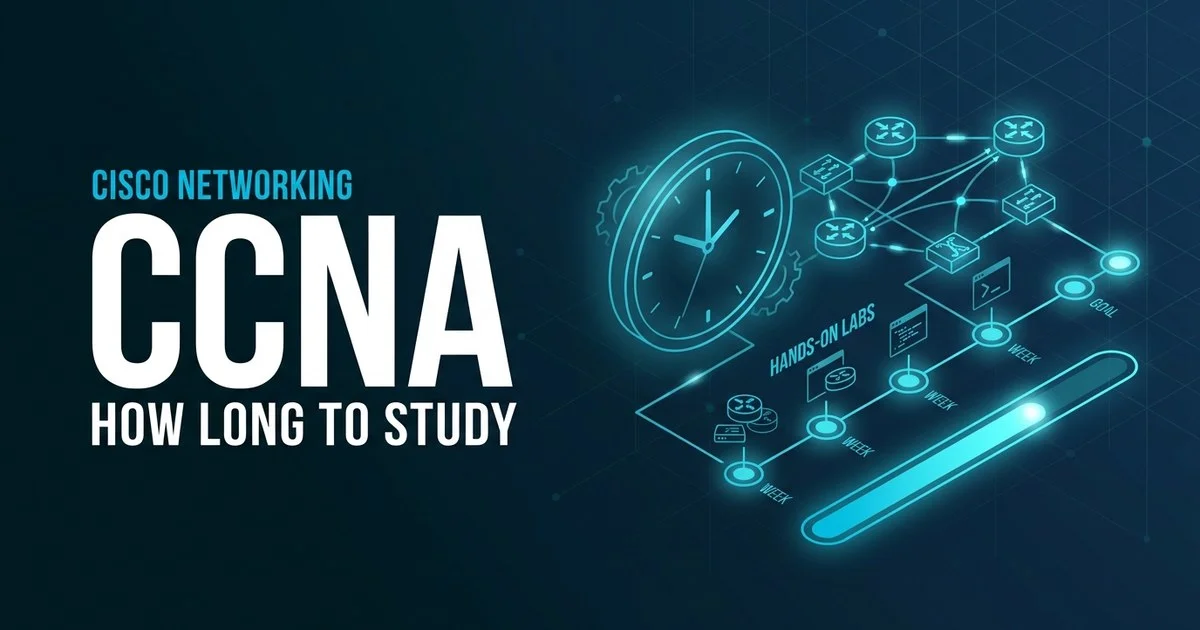
Most people need 80 to 200 hours — roughly 10 to 16 weeks — depending on how much real networking experience they bring. The CCNA 200-301 is broad and hands-on, so labbing time is non-negotiable. Here is the honest timeline by experience level, a week-by-week plan, and what makes prep faster or slower.
01 The short answer
The CCNA is deliberately broad. The 200-301 blueprint spans six domains — Network Fundamentals (20%), Network Access (20%), IP Connectivity (25%), IP Services (10%), Security Fundamentals (15%), and Automation & Programmability (10%) — and the exam packs roughly 100–120 questions into a fixed 120 minutes. That breadth is why raw hours matter less than how you split them between reading, practice questions, and the lab.
And the lab is the part most people underestimate. The CCNA tests whether you can actually configure and troubleshoot switches and routers, not just recognise the right answer in a list. You will spend a meaningful share of your hours building topologies, configuring VLANs and OSPF, and breaking things on purpose so you can fix them. Skipping that to read faster is the classic way to fail.
One more thing to plan around: there are no official prerequisites for the 200-301, so the timeline is driven almost entirely by where you start, not by any gatekeeping. That is good news if you come in with experience, but it also means a complete beginner has more genuinely new material to absorb than the headline hours suggest. The blueprint last saw a refresh in 2024 (version 1.1), which folded in lightweight cloud, machine-learning, and generative-AI awareness topics — small in weight, but worth a couple of hours so nothing on exam day is a surprise.
02 How long it takes by experience level
Your starting point matters more than any other factor — far more than the study guide you pick or the videos you watch. Find the lane that sounds most like you below; the bar shows roughly how much ground you have to cover before you are exam-ready.
Working in IT / networking
80–120 hrsYou already touch networks day to day — help desk, support, sysadmin, or a Network+ background. Subnetting and the OSI model are familiar; you mostly need to map your knowledge onto Cisco IOS and drill configuration.
Pace: ~8–10 weeks at 12 hrs/weekSome IT, new to networking
130–170 hrsYou are comfortable with computers and maybe basic IT support, but routing, switching, and subnetting are new. You can learn quickly, but the volume of fresh concepts means real lab repetition before it sticks.
Pace: ~11–14 weeks at 12–14 hrs/weekBrand new to networking
180–220 hrsYou are starting from scratch — binary, subnetting, IP addressing, and the command line are all unfamiliar. Nothing here is beyond you, but every topic is built from the ground up, so give yourself room and lean hard on the lab.
Pace: ~14–16 weeks at 13–14 hrs/week03 A week-by-week study plan
This is the “some IT, new to networking” track — the most common starting point. Compress it to 8–10 weeks if you already work in networking, or stretch it past 16 if everything is brand new. The order follows the blueprint, front-loading fundamentals and weighting your time toward the heavy IP Connectivity domain.
1–2
Network fundamentals (20%)
The OSI and TCP/IP models, cabling, IPv4 and IPv6 addressing, and — critically — subnetting until it is fast and automatic. This is the bedrock for everything else, so do not rush it. Start using Packet Tracer from day one.
~22–28 hrs3–4
Network access (20%)
Switching: VLANs, trunking, EtherChannel, spanning tree, and wireless basics. Configure every concept yourself on a switch in the lab rather than only reading about it — this domain rewards hands-on repetition.
~22–26 hrs5–7
IP connectivity (25% — heaviest)
Routing concepts, static routes, OSPF, and the routing table. This is the single largest slice of the exam, so give it the most time. Build multi-router topologies and trace exactly how packets are forwarded hop by hop.
~32–38 hrs8
IP services (10%)
NAT, DHCP, NTP, DNS, SNMP, QoS, and syslog. Smaller weight, but these are real-world bread-and-butter topics. Configure NAT and DHCP yourself so the command syntax sticks.
~12–14 hrs9
Security fundamentals (15%)
Access control lists, port security, device hardening, VPN concepts, and AAA basics. ACLs in particular reward practice — write and test them in the lab until you can read one at a glance.
~16–18 hrs10
Automation & programmability (10%)
REST APIs, JSON, controller-based networking, and the role of Python and tools like Ansible. Largely conceptual, so do not over-invest — understand the ideas rather than memorising syntax.
~12–14 hrsWK
11–12
Lab-heavy practice & full mocks
Now stitch it together. Run full timed practice exams, then spend the rest of your time in the lab rebuilding any topology you stumbled on. Treat every wrong answer as a lab to redo, not just a fact to reread.
~26–30 hrs13
Final review & book
Light review of weak domains, a last subnetting speed drill, and a calm run-through of your most-missed commands. Rest the day before and sit the exam — do not cram new material in the final 48 hours.
~10 hrs04 What makes your timeline faster or slower
Two people with the same job title can need wildly different hours. These are the factors that move the needle most on the CCNA.
▲ Speeds you up
- Subnetting is already fluent — you can subnet in your head, fast
- You have ready lab access (Packet Tracer or CML) and use it daily
- Prior IT support, help-desk, or CompTIA Network+ background
- You can study in long focused blocks rather than scattered minutes
- You test yourself and configure early instead of only reading
▼ Slows you down
- Shaky on subnetting and binary — the number-one time sink
- No lab practice — reading commands without ever typing them
- Networking is entirely new, with no IT background to lean on
- Studying 20–30 minutes at a time around a full-time job
- Relying on videos alone instead of hands-on configuration
05 A realistic weekly schedule
Most people pass while working full time. The trick is consistency, and protecting dedicated lab time — this ~13-hour week is sustainable across the whole 12–14 weeks.
| Day | Time | Focus |
|---|---|---|
| Mon & Wed | 1.5 hrs (evening) | Read one blueprint topic, then answer 20–25 practice questions and review every miss |
| Tue & Thu | 1.5 hrs (evening) | Lab night — configure that week’s topic yourself in Packet Tracer or CML, no reading |
| Friday | Rest | No study — protect against burnout |
| Saturday | 3 hrs | One timed mini-mock (40–50 questions) plus a full review of wrong answers |
| Sunday | 2 hrs | Subnetting drills and a lab rebuild of your weakest topology from the week |
06 FAQ
How many hours do you need to study for the CCNA?
Most candidates need 80–200 hours of focused study. People who already work in IT or networking can often be ready in roughly 80–120 hours; complete beginners usually need 200 hours or more. Spread over a typical 12–14 hours per week, that is about 10–16 weeks, and a good chunk of those hours should be hands-on labbing rather than reading.
Can you study for the CCNA in one month?
It is possible but only realistic for people who already work in networking, are fluent in subnetting, and can commit to near full-time study with daily lab time. For a working professional starting from a help-desk or general IT background, one month is too tight for a broad, hands-on exam like the 200-301. A 10–16 week plan is far safer for most candidates.
What is the passing score for the CCNA exam?
Cisco does not publish an exact passing score, and the score is scaled rather than a simple percentage. A figure of around 825 out of 1000 is commonly cited, and most certified professionals suggest you should be answering roughly 80–85% of questions correctly on quality practice tests before you book. Treat a repeatable 85% on full-length mocks as your readiness signal.
Do I need to lab for the CCNA?
Yes. Hands-on labbing is non-negotiable for the CCNA. The 200-301 tests whether you can actually configure and troubleshoot switches and routers, not just recall facts, and the exam can include simulation-style items. Build switches, configure VLANs, OSPF, and ACLs yourself in Cisco Packet Tracer or CML so the commands are muscle memory before exam day.