CompTIA Security+ SY0-701 Exam Format: What to Expect
The CompTIA Security+ exam is up to 90 questions in 90 minutes, mixing standard multiple-choice items with hands-on performance-based questions — the simulations that set Security+ apart. Here is exactly what the exam looks like on screen, the question types, what exam day feels like, and how scoring works.
01 The format in one minute
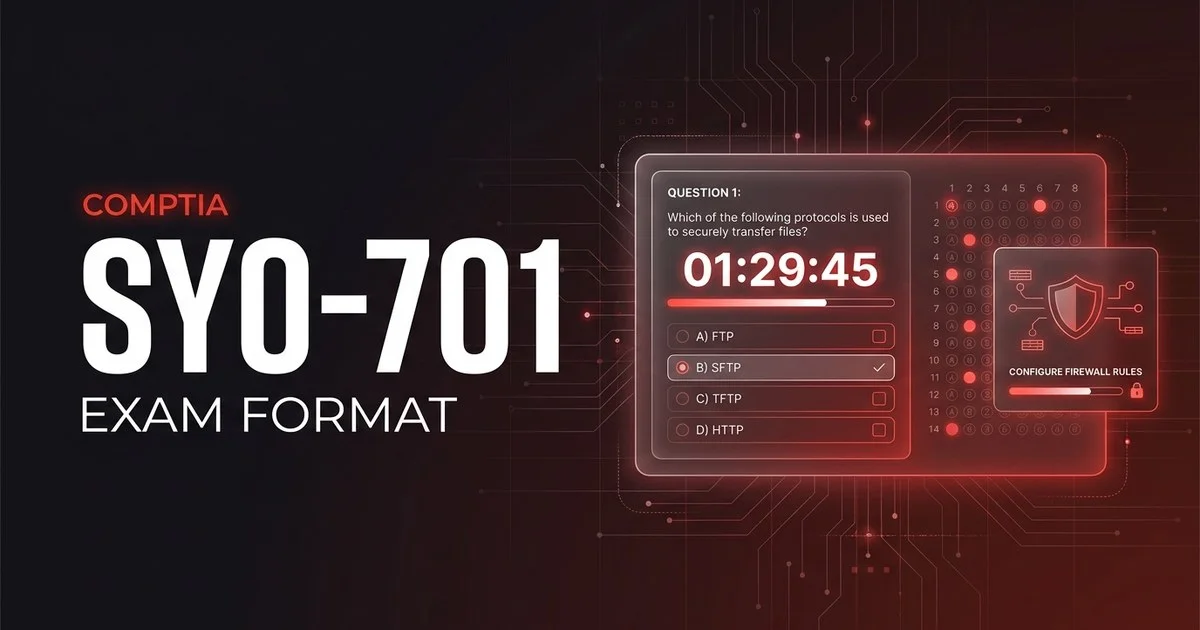
Below is a close approximation of what a single multiple-choice question looks like in the Pearson VUE test engine. The header shows your position and the countdown clock; the footer holds the flag-for-review toggle and navigation:
A security analyst notices that several user accounts were locked out at 03:00 from a single external IP address, each after dozens of failed logins in seconds. Which attack is most likely in progress, and which control would best mitigate it?
Illustration of the test-engine layout — not an actual exam question.
That single screen captures most of what makes SY0-701 tick: short, real-world scenario stems, four plausible options where you must map a symptom to both the right attack and the right defence, and a clock that gives you about a minute per item. The PBQs are slower — that is exactly why the one-minute average matters and why most people leave the simulations for last.
02 Question types you'll face
Security+ keeps the multiple-choice items conventional, then layers on its signature performance-based questions. Knowing how each type behaves — and how to budget time around the PBQs — changes how you work the exam.
Multiple choice
Four options, exactly one correct. The distractors are usually plausible attacks or controls that fit a different scenario. These make up the bulk of the exam and move quickly once you can read the stem cleanly.
Most questionsPerformance-based (PBQs)
The standout type. Interactive simulations — configure a firewall rule, match attacks to mitigations by drag-and-drop, read a log, or complete a network diagram. They usually appear first. Strategy: skip them, do the multiple choice, then return with time to spare.
A handful, weightedMultiple response
Some multiple-choice items ask you to “choose TWO” (or more). You must select every correct option and no wrong ones — there is no partial credit, so read the count in the stem carefully.
Some questionsNot adaptive (no CAT)
The SY0-701 is a fixed, linear form — not computer-adaptive. The questions do not get harder or easier based on your answers, and every item carries its set weight, so you can navigate the whole exam freely.
Fixed form03 Timing, structure & domain weighting
You have 90 minutes for up to 90 questions — about one minute each, the tightest pace among CompTIA's core trio. Your score is compensatory: there is one overall pass mark and no requirement to clear each domain individually, so strength in one area can offset a weaker one. The five domains and their official weights:
| Domain | Weight | What it covers |
|---|---|---|
| 1. General Security Concepts | 12% | CIA triad, control types, change management, basic cryptography & PKI |
| 2. Threats, Vulnerabilities & Mitigations | 22% | Threat actors, attack types, indicators, vulnerability and mitigation techniques |
| 3. Security Architecture | 18% | Secure network & cloud design, zero trust, data protection, resilience |
| 4. Security Operations | 28% | Hardening, identity & access, monitoring, incident response, automation |
| 5. Security Program Management & Oversight | 20% | Governance, risk, third-party/vendor risk, compliance, audits, awareness |
04 What exam day actually looks like
You can sit the SY0-701 two ways: at a Pearson VUE test centre, or online with a remote proctor from home via OnVUE. The exam itself is identical; the check-in is what differs. Here is the typical flow for an online-proctored sitting (a test-centre sitting swaps the room scan for an in-person ID check and locker).
Log in and launch early
Open the OnVUE software, run the system test, and start check-in up to 30 minutes ahead. At a test centre, arrive 15 minutes early instead. Late arrivals can be refused.
ID & room scan
Online: photograph your government ID and your workspace from four angles, desk clear of notes, phone, and second monitor. In a centre: present ID and store everything in a locker.
Short walkthrough
A brief, untimed tutorial of the test engine, including how PBQs work. The 90-minute clock does not start until you begin the actual exam.
The exam
Up to 90 questions, PBQs first, your clock counting down. Flag, skip, and revisit freely. A proctor monitors by webcam — looking away or speaking can trigger a warning.
Submit & short survey
Submit when done or when time expires. An optional survey follows; it does not affect your score.
Provisional result
A pass/fail score appears on screen at once. The official score report and your certificate post to your CompTIA account, typically within a few business days.
Allowed
- A valid, unexpired government photo ID
- An on-screen scratchpad (no physical paper when online)
- Flagging and reviewing questions before you submit
- Skipping a PBQ and returning to it later
Not allowed
- Phones, smartwatches, headphones, or second screens
- Notes, books, or scratch paper (online proctoring)
- Other people entering or talking in the room
- Leaving your seat without proctor permission
05 How scoring & results work
SY0-701 is reported on a scaled range of 100–900, and you need 750 to pass. Because the score is scaled and compensatory, a strong showing in one domain can offset a weaker one — you do not have to clear a bar in each domain, only overall. PBQs are scored alongside the multiple-choice items and generally carry more weight per task.
You will see an immediate pass/fail score on screen the moment you submit. The full score report — including a per-domain “met / not met” breakdown — posts to your CompTIA account within a few business days, where your digital certificate and badge also appear. On the retake policy: there is no waiting period between your first and second attempts, but from the third attempt onward CompTIA requires a 14-day wait from your last sitting, and you pay the ~$425 fee again each time (a voucher-plus-retake bundle can cut the cost if you expect to need two tries).
06 FAQ
How many questions are on the CompTIA Security+ SY0-701 exam?
A maximum of 90 questions. The count is a mix of standard multiple-choice items and a small number of performance-based questions (PBQs), so the exact number you see can vary slightly from one form to another. You get 90 minutes to complete them all.
What are performance-based questions on Security+?
PBQs are interactive simulations that ask you to do a task rather than pick an answer — configuring a firewall rule, matching attacks to defences by drag-and-drop, reading a log, or completing a network diagram. They are the defining trait of Security+, usually appear first, and carry more weight than a single multiple-choice item, so most candidates flag them and return at the end.
What is the passing score for the CompTIA Security+ SY0-701?
You need 750 on a scaled range of 100 to 900. It is not 75 percent of the questions — the scale is weighted, so the raw share of items you must get right is roughly the low-to-mid 80s. Your pass or fail result appears on screen the moment you finish.
Can you go back and change answers on the Security+ exam?
Yes. The SY0-701 is linear but fully navigable — you can move forward and backward, flag any item for review, and revisit flagged questions before you submit. There is no penalty for a wrong answer, so you should never leave a question blank, and you can safely skip a PBQ and come back to it.