AZ-104 Exam Format: What to Expect
The Microsoft Azure Administrator exam is 40–60 questions in about 120 minutes, mixing multiple choice with drag-and-drop, hotspot, and case-study sections you can’t go back to. Here is exactly what the exam looks like on screen, the question types, what exam day feels like, and how scoring works.
01 The format in one minute
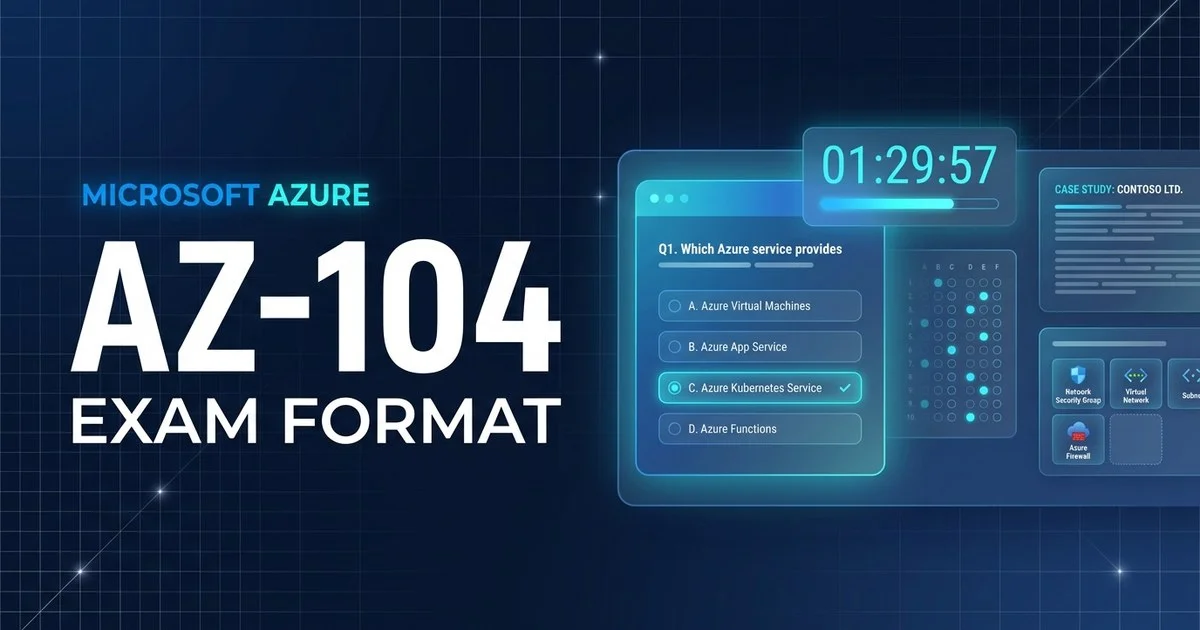
Below is a close approximation of what a single standalone question looks like in the Pearson VUE test engine. The header shows your position and the countdown clock; the footer holds the flag-for-review toggle and navigation:
Your company stores audit logs in a general-purpose v2 storage account. The logs are rarely read after 30 days but must be retained for seven years at the lowest possible cost. Which action best meets these requirements?
Illustration of the test-engine layout — not an actual exam question. Note: Previous/Next work within a section, but case-study sections lock the moment you leave them.
That single screen captures most of what makes AZ-104 tick: practical administration scenarios, four plausible options where more than one “works” but only one is best on cost or operational overhead, and a clock that gives you roughly two minutes per item. The twist is the sectioning — the next section explains why navigation matters more here than on a flat multiple-choice exam.
02 Question types you'll face
The AZ-104 uses a wider range of interactive question formats than most associate exams — Microsoft retired the live in-exam hands-on labs around 2023, but it kept several formats that test practical skill without a real Azure portal. Here are the ones you will meet most.
Multiple choice
One scenario, four options, exactly one correct. The distractors are usually valid Azure actions that are worse on cost, security, or management overhead. The bulk of the exam.
Most questionsDrag-and-drop / build-list
Order a sequence of steps, or drag items into the correct targets — for example arranging the steps to configure peering or build a backup policy. Order and completeness both count.
Some questionsHotspot / dropdown
A simulated portal blade or config panel where you pick the right value from each dropdown, or click the correct area. Mirrors real Azure settings without a live environment.
Some questionsCase studies
A fictional company brief with requirements, then a cluster of linked questions. The defining trait of AZ-104 — and the sections that lock: once you leave a case study you cannot go back to it.
Some questions03 Timing, structure & skills measured
You have roughly 120 minutes for a sitting of about 40–60 questions. The exam is organised into sections, and case-study questions are grouped together rather than scattered. A review screen lets you revisit standalone, non-case-study questions before you submit — but advancing past a case-study section is final. Your score is compensatory against a single overall pass mark; there is no requirement to clear each skill area individually.
| Skill area | Weight | What it covers |
|---|---|---|
| 1. Manage Azure identities & governance | 20–25% | Entra ID users/groups, RBAC, subscriptions, Policy, tags, management groups |
| 2. Implement & manage storage | 15–20% | Storage accounts, redundancy, SAS, Azure Files, Blob tiers & lifecycle |
| 3. Deploy & manage compute resources | 20–25% | VMs, scale sets, ARM/Bicep, containers (ACI/ACA), App Service |
| 4. Configure & manage virtual networking | 15–20% | VNets, peering, NSGs, Bastion, DNS, load balancers, endpoints |
| 5. Monitor & maintain Azure resources | 10–15% | Azure Monitor, logs & alerts, Network Watcher, Backup, Site Recovery |
04 What exam day actually looks like
You can sit the AZ-104 two ways: at a Pearson VUE test centre, or online with a remote proctor from home. The exam itself is identical; the check-in is what differs. Here is the typical flow for an online-proctored sitting.
Launch & system check
Open the Pearson VUE / OnVUE software, run the system test, and start check-in up to 30 minutes ahead. Late arrivals can be refused.
ID & room scan
Photograph your government ID and your workspace from four angles. Your desk must be clear — no notes, phone, second monitor, or drinks unless explicitly allowed.
Short walkthrough
A brief, untimed tutorial of the test engine. The clock does not start until you begin the actual exam — use it to read how case-study navigation works.
The exam, section by section
Standalone questions plus one or more case studies. Within a section you can flag, skip, and revisit; advancing to the next section is one-way.
Last chance — non-case items only
Before you submit, a review screen lists your standalone questions so you can revisit and change them. Case-study sections you have already left are not on it.
Provisional result
A pass/fail message appears on screen. The official scored report lands in your Microsoft Learn certification profile shortly after.
Allowed
- A valid, unexpired government photo ID
- An on-screen scratchpad (no physical paper online)
- Flagging and reviewing non-case-study questions before you submit
- Requesting an extra 30 minutes if testing in a non-native language
Not allowed
- Phones, smartwatches, headphones, or second screens
- Notes, books, or scratch paper (online proctoring)
- Other people entering or talking in the room
- Returning to a case-study section once you have advanced
05 How scoring & results work
AZ-104 is reported on a scaled range up to 1000, and you need 700 to pass. Because the score is scaled and compensatory, a strong showing in one skill area can offset a weaker one — you do not have to clear a bar in each area, only overall.
You will see an immediate provisional pass/fail on screen, with the full score report — including a per-skill-area breakdown — arriving in your Microsoft Learn certification profile shortly after. If you do not pass, Microsoft requires a 24-hour wait before your second attempt; the wait then escalates for subsequent retakes, and you may take the exam a maximum of five times in 12 months. You pay the $165 fee again on each attempt.
06 FAQ
How many questions are on the AZ-104 exam?
Microsoft does not publish a fixed count, but the AZ-104 typically has 40 to 60 questions, and you get about 120 minutes for the whole sitting. The exact number and mix varies between candidates because the exam draws from a large item bank, so plan your pace around the time, not a question count.
Are there still hands-on labs on the AZ-104?
No. Microsoft retired the live in-exam hands-on labs around 2023, so you will not be dropped into a real Azure portal to complete tasks. The exam still tests practical skills, but through scenario questions, drag-and-drop ordering, hotspot configuration screens, and case studies rather than a live environment. Always check the current exam page before booking, as Microsoft updates formats periodically.
Can you go back and change answers on the AZ-104?
Only within a section. The AZ-104 is split into sections, and a review screen lets you revisit and change answers among the standalone, non-case-study questions before you submit. But once you advance past a case-study section, you cannot return to it — those questions are locked the moment you move on. So answer every case-study item fully before clicking forward.
What is the passing score for the AZ-104?
You need 700 out of 1000 to pass. The score is scaled, so 700 is not the same as 70 percent of questions correct — items are weighted by difficulty. You get a provisional pass or fail on screen as soon as you finish, with the full score report following shortly after in your Microsoft Learn certification profile.